AgentMux · Open source · Apache 2.0
People and agents,
working together.
AgentMux is built to push what a person and their agents can do together: a seat for every agent, shared boards of work, messages that prove who sent them, and a vault for secrets. You are in the work with them, not above it.
A free, open-source desktop app for Windows, macOS and Linux, with a companion mobile app. No telemetry. How we handle your data.
Alpha software. Features may be incomplete or unstable. AI agents generate content that may be inaccurate — always review outputs. Report issues
What we believe
Humans plus agents
beat agents alone.
We believe the future is people working with agents, not replaced by them: a person and their agents can do more than agents alone. So AgentMux is built as collaboration tools, a real agent experience unlike anything on the market.
01 · Seats
A seat for
every agent.
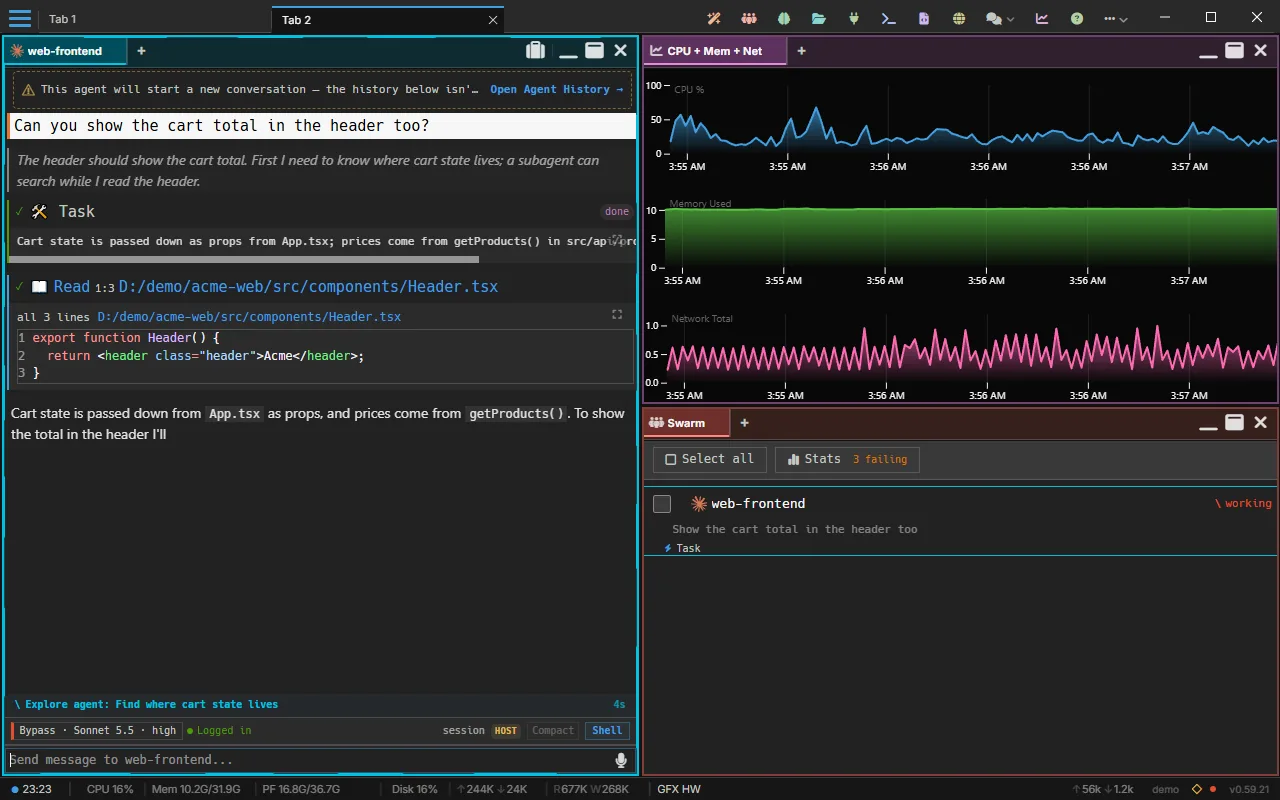
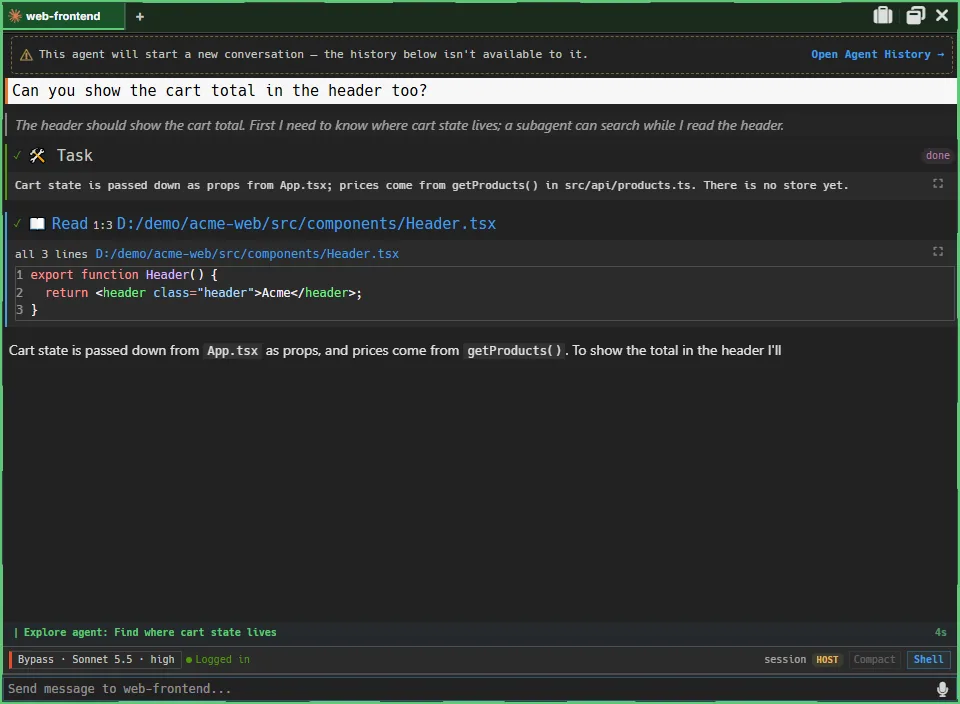
Each agent has a name, an account and a seat: a role, whom it reports to and what it owns. Swarm shows the whole team beside you: what each agent is doing and what it costs, with its pane one click away to step in, and a stop for one agent or all of them.
A 13-second clip with no sound. Someone asks the web-frontend agent to show the cart total in the header. In Swarm, the agent turns from idle to working and its current task appears under it, while its pane shows a subagent task, a read of Header.tsx and its reply streaming in.
02 · The boards
Boards you share
with your agents.
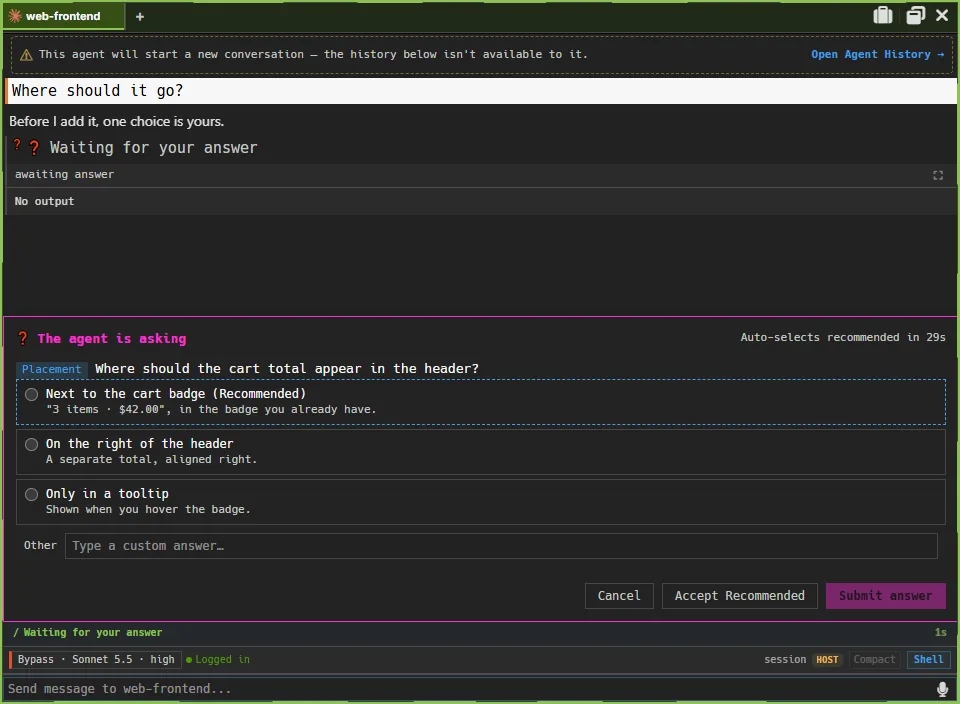
You and your agents work from shared Kanban boards, and you can make as many as you need, one for each project or team. They file tasks and ask you questions; you add work, answer, redirect or stop an agent.
03 · MuxAPI
Agents that work
in the workspace
with you.
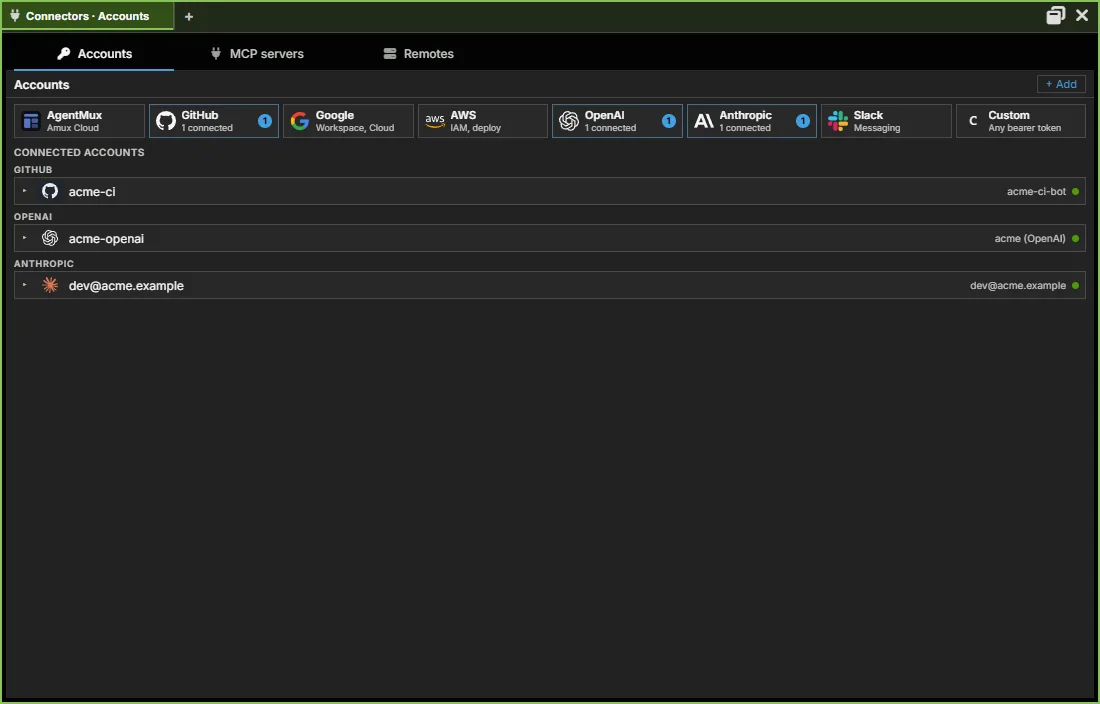
Through MuxAPI an agent can open panes, drive a browser, use its memory, file tasks and message other agents, on this machine or another. Every message says whether its sender was proven, so an agent knows when to stop and ask you.
04 · The Vault
Secrets they use,
and never see.
The Vault holds your ID numbers, cards, API keys, logins and notes. The secret part of each entry is sealed with ChaCha20-Poly1305 (RFC 8439), under a key kept in your computer's own keychain: the macOS Keychain, Windows Credential Manager or the Linux Secret Service (on Headless, a file only its account can read). The Vault's own export is an age file encrypted to a passphrase you choose. You decide what an agent may use; it uses an entry by name, and no tool returns its value. Every use is recorded, and the Audit shows you what agents did with your entries.
Runs the agents you already use
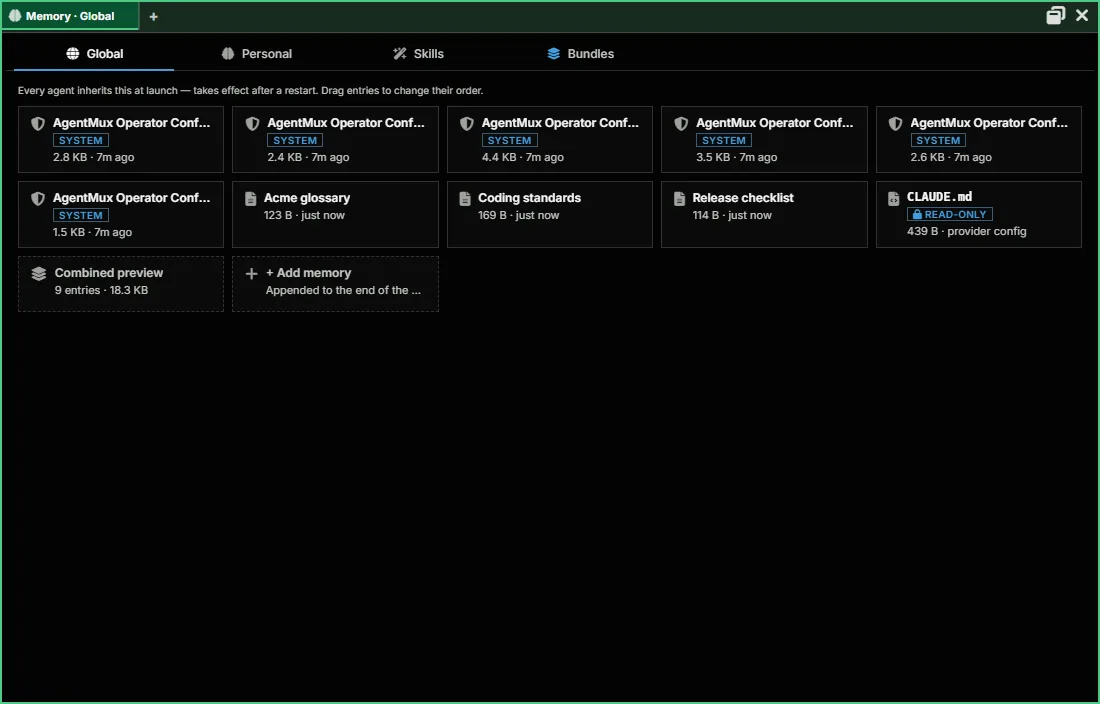
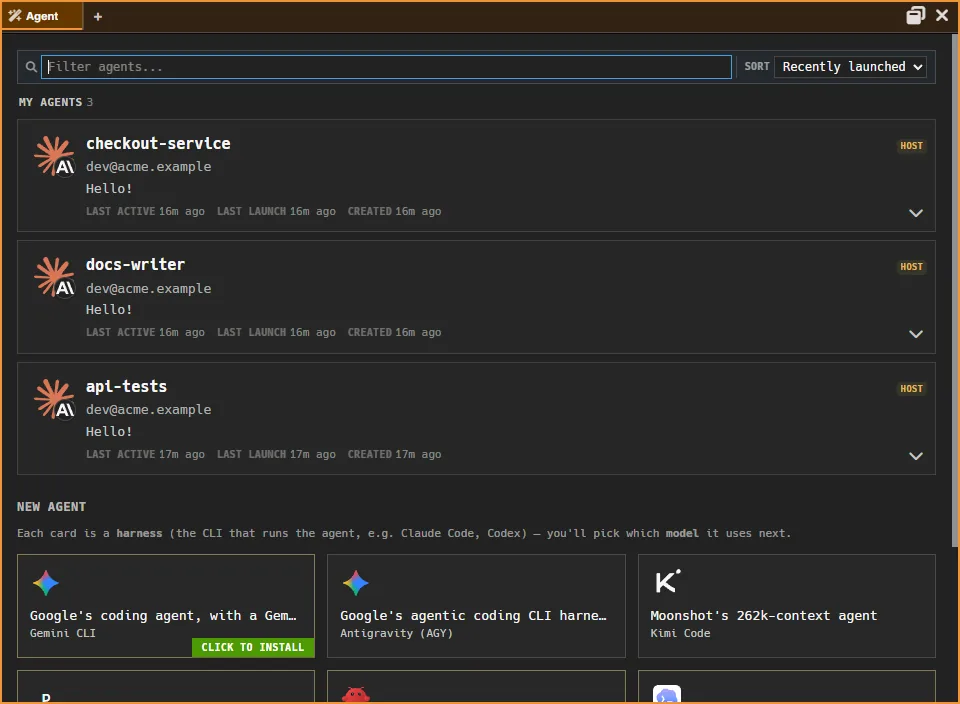
Each runs as its actual CLI, in a pane built for it, with its own login and model backend. When one needs a decision it asks you there.
Claude Code/ Codex/ Gemini/ Copilot/ Kimi/ OpenClaw/ Pi/ Antigravity/ OpenCode/ Kilo Code/ Cline/ goose/ Grok Build/ DeepSeek Harness/ Aider/ Crush/ Muse Code
AgentMux Headless
Always on,
in the background.
AgentMux Headless is AgentMux with no desktop window, for Windows, macOS and Linux. Set it to start when you log in and it runs quietly in the background, so your agents stay on while you do something else: a claw, as some people call an always-on agent on a personal computer. Open it in a browser on the same computer when you want to see or steer them.
What people do with it
Agents in panes.
A human reading.
- 01
Legal Teams
Split the research. Cross-check the findings.
One agent on case law, one on contract terms, a reviewer re-checking citations.
- 02
Research & Analysis
Several lines of inquiry. At once.
One agent per approach. A reviewer reads across all of them for where conclusions disagree.
- 03
Security Engineer
Watch what the agent actually does.
Tool calls and edits in the open, with a second agent reviewing the first.
- 04
Open Source Maintainer
Triage, reproduce, draft fixes.
Agents pick up issues from the backlog. You review before any PR goes out.
- 05
DevOps & Platform
A reviewer on every infra change.
Read the diff as it forms. Put a second agent on security and cost before apply.
- 06
Education & Training
Students compare providers side by side.
Students follow every tool call; side-by-side panes compare providers and prompts.
The rest of the workspace
Everything
around the agent.
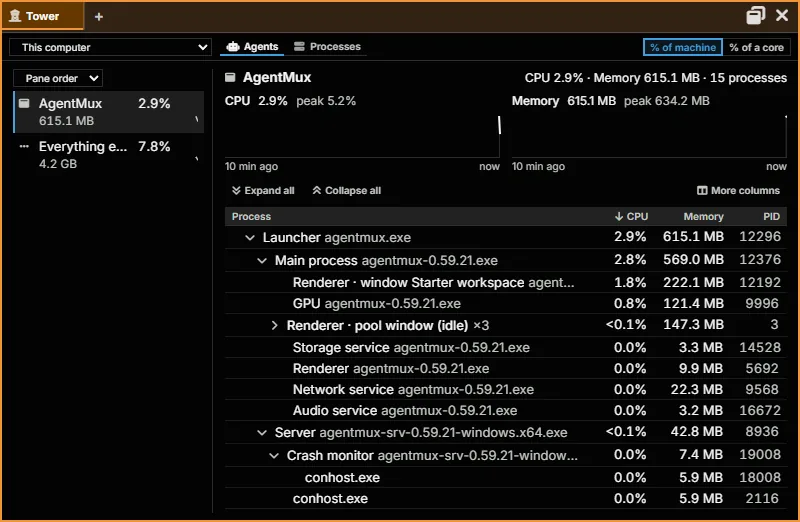
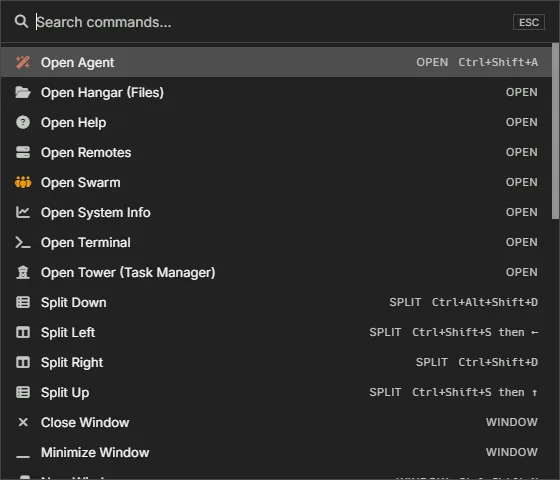
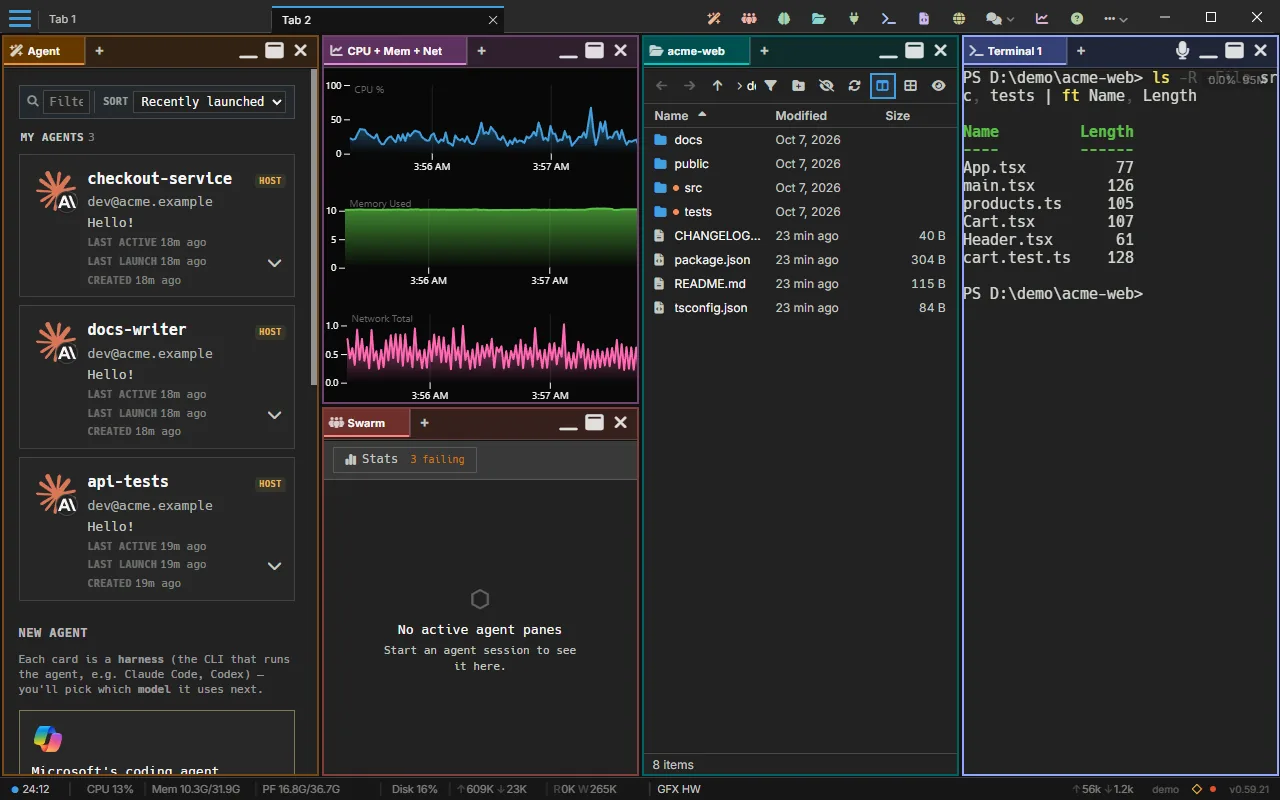
Real terminals (local, over SSH and in WSL), an editor, a file browser and a browser sit beside your agents, in as many windows as you like. Finding other AgentMux on your network is opt-in and off until you turn it on.
Dogfood
AgentMux
builds
AgentMux.
Agents running inside AgentMux wrote its frontend, backend and infrastructure, in parallel, with humans reviewing the work.
Built to stay up
Your agents
keep running.
Your agents, terminals and layout live in AgentMux's Rust core, not in the window. The window is a view of that state, so restarting it loses nothing. And Tower shows where memory goes, in the core, in each pane and in each agent.
Local-first · Open source · No telemetry
Local-first
and open.
3
Desktop platforms0
TelemetryApache 2.0
Open sourceWhere it comes from
Built on
good ideas.
AgentMux began as a fork of Wave Terminal (Command Line Inc., Apache 2.0) and takes its panes, widgets and workspace from it. Tabs inside each pane, so every pane holds several, come from cmux. Thanks to both.
Community
Come build
it with us.
Join our DiscordAgentMux Mobile
Your agents,
on your device.
AgentMux Mobile is a companion app for iOS and Android. It does not run agents itself: it lets you view and talk to the agents running in an AgentMux desktop you control, from your device.


Get AgentMux
Free and open source.
Windows, macOS, Linux.
Apache 2.0. Runs entirely on your machine.
Alpha software. Windows is the primary development target; macOS and Linux builds lag behind. Microsoft Store: signed by Microsoft, installs cleanly. Windows installer and portable: code signing is waiting on Microsoft's registration, so SmartScreen may warn. macOS: code-signed and notarized, but may still ask before opening an app from the internet. Linux: no signing, no prompt.
v0.60.39
Install from a terminal
Standard
winget install --id 9P9QCXNNCRK3 --source msstore --accept-package-agreements --accept-source-agreementswinget installs the Microsoft Store listing: signed by Microsoft, and the Store keeps it updated.
irm https://agentmux.ai/install.ps1 | iexPowerShell, for a machine without winget or the Store: a checked download of the installer. It is not code-signed yet, so SmartScreen may warn.
AgentMux Headless
& ([scriptblock]::Create((irm https://agentmux.ai/install.ps1))) -HeadlessAgentMux with no desktop window. It runs in the background and you open it in a browser on the same computer; nothing listens on the network. For this user only, no administrator rights. Run it again to update.
Standard
curl -fsSL https://agentmux.ai/install.sh | shApple Silicon only. Downloads the signed, notarized app, checks it against the release's signed manifest and copies it to Applications.
AgentMux Headless
curl -fsSL https://agentmux.ai/install.sh | sh -s -- --serverAgentMux with no desktop window. It runs in the background and you open it in a browser on the same computer; nothing listens on the network. Apple Silicon only. Add --setup to start it at login.
Standard
curl -fsSL https://agentmux.ai/install.sh | shUses apt, dnf or zypper with the signed AgentMux repository when there is one, otherwise a checked download of the portable copy. Updates then come from your package manager.
sudo install -d -m 0755 /usr/share/keyrings
curl -fsSL https://packages.agentmux.ai/agentmux-archive-keyring.gpg | sudo tee /usr/share/keyrings/agentmux-archive-keyring.gpg > /dev/null
curl -fsSL https://packages.agentmux.ai/agentmux.sources | sudo tee /etc/apt/sources.list.d/agentmux.sources > /dev/null
sudo apt-get update && sudo apt-get install -y agentmuxDebian, Ubuntu. Adds the signed repository, then installs.
The repository is signed. Key fingerprint: 8282 7147 42F1 7EE7 8210 6E8F AA26 47B9 CD7C 57E6
sudo curl -fsSL -o /etc/yum.repos.d/agentmux.repo https://packages.agentmux.ai/agentmux.repo
sudo dnf install -y agentmuxFedora. Adds the signed repository, then installs.
The repository is signed. Key fingerprint: 8282 7147 42F1 7EE7 8210 6E8F AA26 47B9 CD7C 57E6
sudo zypper addrepo https://packages.agentmux.ai/agentmux.repo
sudo zypper --gpg-auto-import-keys install -y agentmuxopenSUSE. Adds the signed repository, then installs.
The repository is signed. Key fingerprint: 8282 7147 42F1 7EE7 8210 6E8F AA26 47B9 CD7C 57E6
AgentMux Headless
curl -fsSL https://agentmux.ai/install.sh | sh -s -- --serverAgentMux with no desktop window. It runs in the background and you open it in a browser on the same computer; nothing listens on the network. x64 and arm64. Add --setup to start it at login.
Download a file instead
Another platform, Headless, a package manager, or a checksum: All Downloads
Or build from source on GitHub