Features in Detail
A native, multi-provider agent workbench in 150-350MB of memory. Here is what it does today.
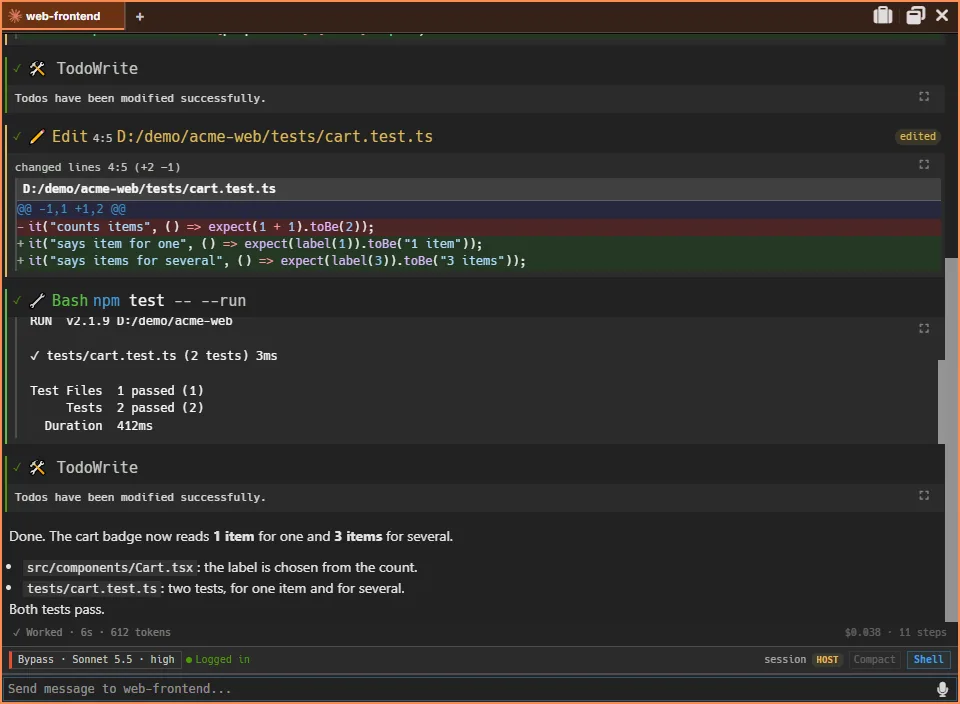
Multi-Provider Agent Panes
A native pane type for Claude Code, Codex, Gemini, Copilot, Qwen, Kimi, and more — purpose-built agent UI, not a terminal wrapper.
- +Structured tool calls, file diffs, and reasoning rendered as markdown, not raw text
- +Stream-JSON parser renders agent output token by token as it arrives
- +Document model splits each turn into typed blocks: diffs, terminal output, code
- +OAuth handled in-app with an authentication overlay
- +State machine tracks the connection lifecycle: idle, connecting, authorized, running
- +Sessions survive pane moves and app restarts
Swarm: Subagent Watcher
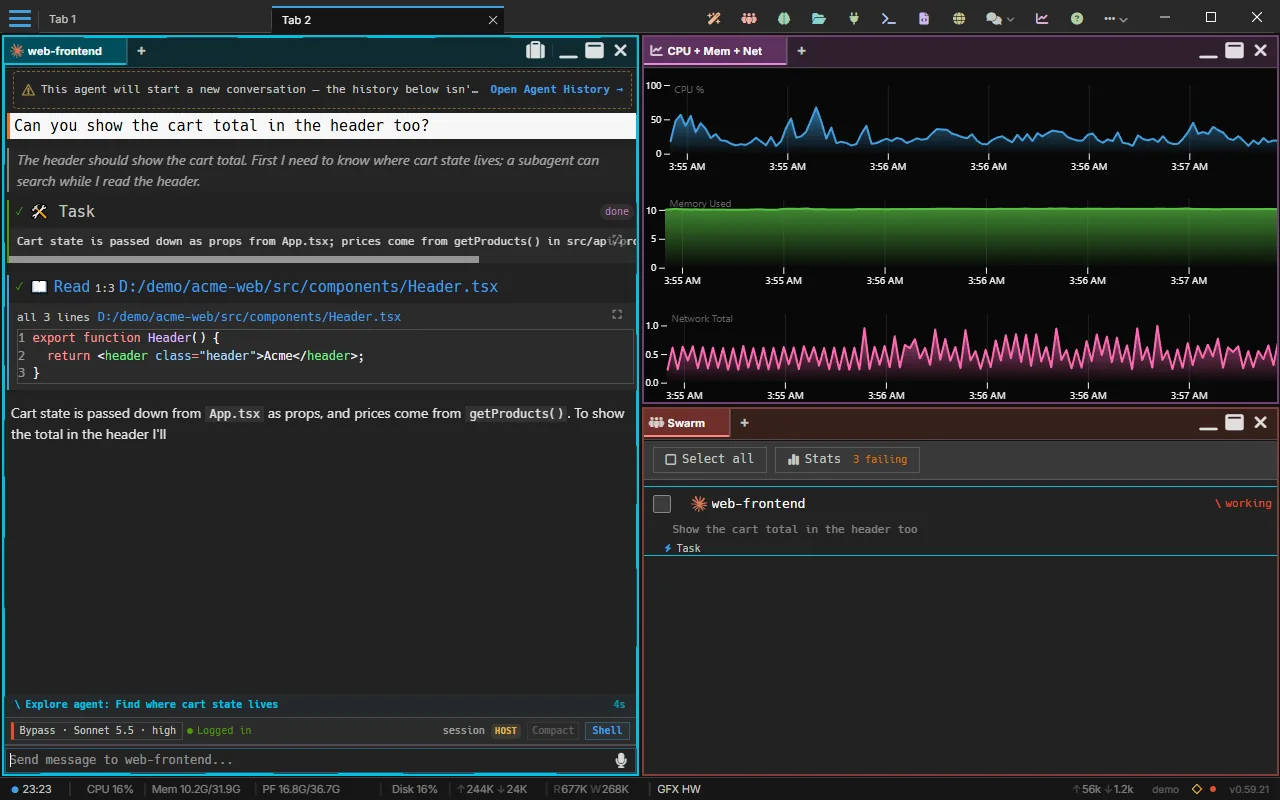
When a primary agent spawns subagents, Swarm shows the live two-level tree and what each one is working on.
- +Detects spawned subagents by watching JSONL output
- +A dedicated pane per subagent with live streaming
- +Two-level agent/subagent tree shows which subagent is on which task
- +Surfaces each agent's opening reasoning and task breakdown as it starts
Reusable Presets
Save a provider, model, instructions, MCP servers, skills, and environment as one preset. Define it once, launch it as many times as you need.
- +Agent picker with an inline list, create/edit forms, and emoji icons per preset
- +Per-preset provider config: launch command, args, and output format
- +v7 schema: presets stored in `db_memories`, referenced by running agent instances
- +WPS events keep the picker in sync the moment a preset changes
- +One-click launch: pick a preset and an identity, spawn into any pane
Identity Bundles
Named credential sets — GitHub PAT, AWS profile, API keys, custom env — backed by the OS keychain. Swap them at launch; they persist across agent renames.
- +Per-provider bindings: one credential per provider per identity
- +v7 schema: `db_identities` plus a `db_identity_bindings` junction to credential records
- +A blank identity for plain launches with no overrides
- +Credentials injected into the environment as the agent process boots
- +Swap the identity on a running agent and env re-injects on the next turn
Native Memory Files
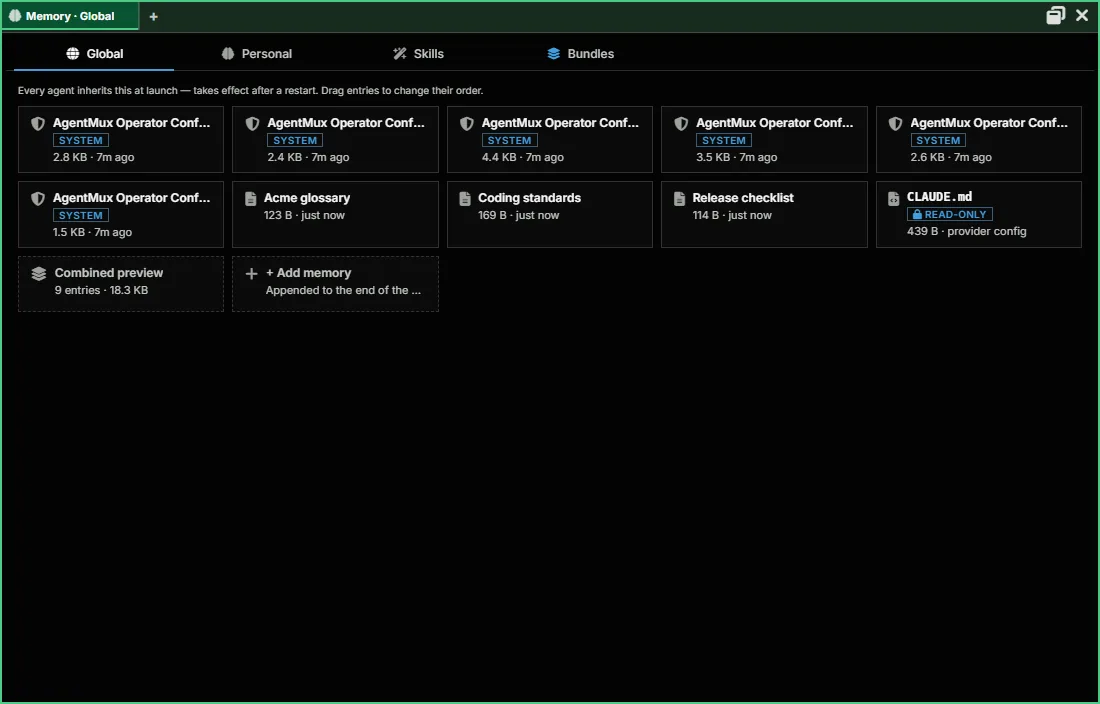
Agents read and write native memory files on disk today. Deeper cross-session memory is still evolving — what persists now is what an agent writes to its files.
- +Agents read and write plain memory files you can inspect and edit yourself
- +Memory lives on disk, not locked inside a session
- +Streaming parser surfaces structured tool calls and reasoning as agents work
- +Status bar shows each agent's name, activity badge, and color
Watch Agents Work, Catch Regressions
Every tool call and decision step streams as it happens, so you can catch an agent undoing correct work before it ships.
- +Every tool call streams in real time with its arguments and results
- +A diff overlay shows file changes as agents make them
- +Highlights when an agent reverts work it already got right
- +Interrupt to redirect an agent mid-task without killing the session
- +Searchable session history pins down exactly when and why an agent went off track
Multi-Agent View
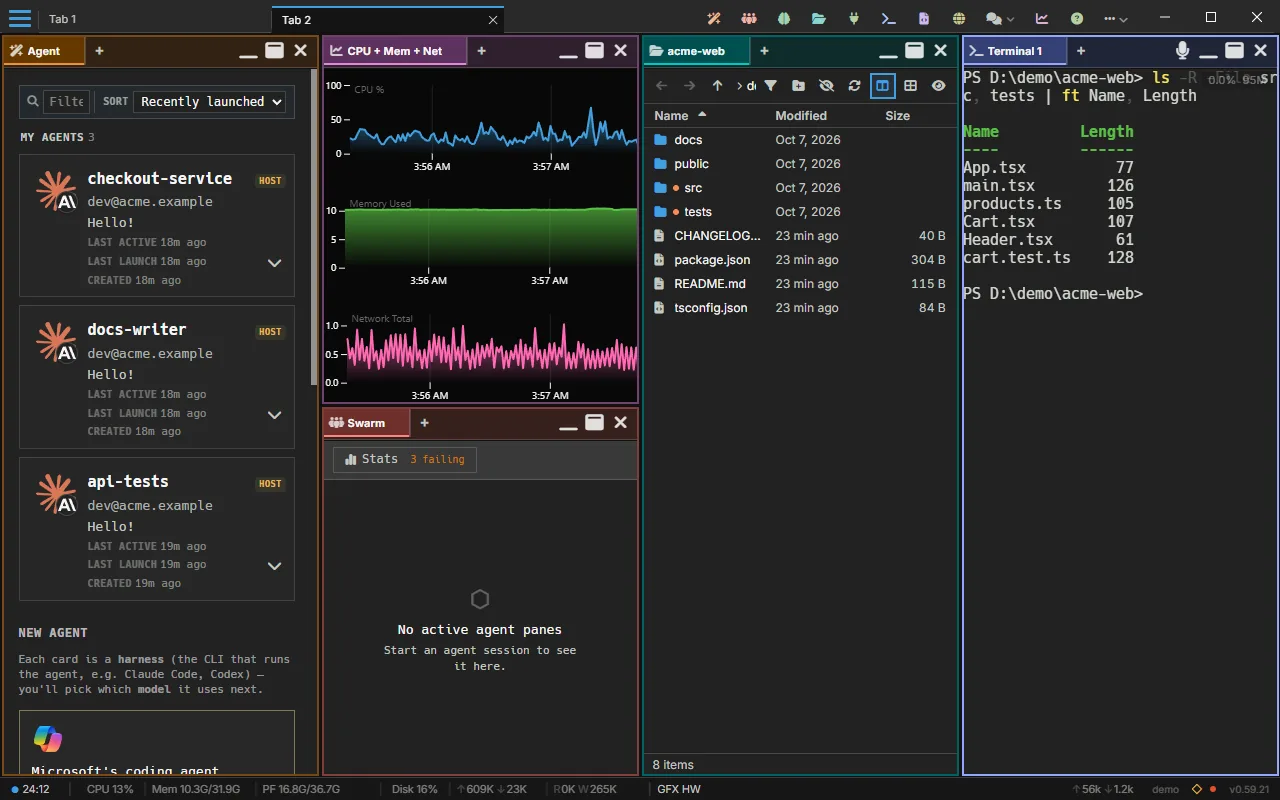
Run agents in parallel and watch all of them at once, so conflicts surface before you merge their work.
- +Side-by-side agent panes, each scrolling independently
- +Flags conflicts when two agents touch the same files
- +Per-agent resource usage and progress in the status bar
- +Redirect or pause one agent without touching the others
- +Per-agent color, set via environment variables, for quick visual ID
Live System Metrics
A dedicated sysinfo pane charts CPU, memory, and network in real time, with uptime and agent activity in the status bar.
- +Live CPU, memory, and network I/O graphs rendered with Recharts
- +Process list with filtering and a resource breakdown
- +Configurable history buffer for scrollback on the metric graphs
- +Status bar tracks uptime, backend health, and connection count
- +Per-pane stats and agent activity at a glance
Interagent Reactive Communication
Agents message each other over a local API via Tokio channels, so one agent's output can stream straight into another and drive a reactive pipeline.
- +Wire one pane's output to another pane's input for event-driven workflows
- +WPS broker (WebSocket) handles real-time pub/sub object updates
- +Connection indicators show active data flows between panes
- +Panes auto-register on the backend and advertise their capabilities
- +Offline queue buffers messages for agents that are down and delivers on reconnect
Agent App API
Agents call a typed local API to open and rename panes, navigate, render dashboards, message peers, and reshape the workspace from their own code.
- +Spawn panes programmatically: terminal, editor, webview, dashboard
- +Change pane layout, title, and status indicators from agent code
- +IPC bridge to the Rust backend over low-latency WebSocket channels
- +Injection endpoints let agents coordinate across hosts
- +In-process event log records agent injections for debugging (durable audit trail in development)
Shell Integration
Per-pane shell hooks for bash, zsh, fish, and PowerShell, deployed by the host so every terminal pane knows which pane it is.
- +Identifies the running pane via the AGENTMUX_BLOCKID and AGENTMUX_TABID env vars
- +Tracks the working directory through OSC 7 sequences
- +The muxlog helper resolves the right host or sidecar log file from any context
- +Per-instance auth isolation: each provider's *_HOME / *_CONFIG_DIR points at <instance>/config/auth/
Pure-Rust Core
Tokio, Axum, and SQLite in a compact sidecar binary. No garbage collector means no GC pauses and no heap growth over a long session.
- +Rust's ownership model rules out null-pointer crashes and memory leaks
- +Auto-spawned sidecar binary, version-isolated from the CEF host
- +WPS broker (WebSocket) distributes pub/sub events in real time
- +SQLite persists workspaces, blocks, tabs, presets, and config
- +AgentMux is built by agents running inside AgentMux
Flat Memory Over Long Sessions
Chromium 148 bundled via CEF for identical rendering on every OS, on a pure-Rust backend whose memory stays flat with no GC.
- +150-350MB at idle — on par with Warp, well below Cursor or Windsurf
- +Backend memory holds steady: startup footprint is the same after 8 hours
- +Chromium 148 via CEF behaves identically on Windows, macOS, and Linux
- +26MB frontend bundle from font optimization, worker dedup, and lazy loading
- +Shiki highlighter (9.4MB) loads only when you first view code
Low-Latency IPC
Push-based WebSocket channels with zero-copy serialization, holding up under hundreds of concurrent tool calls per second.
- +Agent output renders without perceptible lag, even under heavy multi-agent load
- +Tokio's async runtime keeps threads unblocked and the UI responsive
- +EventBus bridge routes broker events to WebSocket clients in real time
- +Debounced metadata writes and throttled renders keep CPU spikes down
- +Rate-limited injection endpoints guard against request floods
Code Preview Pane
View any file with syntax highlighting right in a pane, with the language detected from its extension.
- +Open any file on disk to read it with syntax highlighting
- +Language detected automatically from the file extension
- +Wired into the Agent App API so agents can open preview panes themselves
Real PTY Terminal
A real OS PTY via xterm.js and portable-pty, with full ANSI support — not a faked terminal.
- +Full ANSI color, mouse support, and configurable scrollback
- +Per-pane font size, theme, and transparency from the context menu
- +Working directory tracked and shown via shell hooks
- +Copy/paste context menu aware of the xterm.js selection
Embedded Webview
A full web browser in a pane, with navigation controls and its own zoom.
- +0.1x-5.0x zoom, independent of terminal zoom
- +URL and navigation state persist across pane moves
- +Back, forward, and reload controls in the pane header
- +Isolated frame rendering for security
Multi-Window & Multi-Instance
Multiple windows, each with its own workspace, plus version-isolated instances and cross-window drag and drop.
- +Drag panes across windows — PTY sessions and agent state survive the move
- +Tear off a pane to spawn a new window at the cursor
- +Title-bar instance marker — (1), (2) — to tell instances apart
- +Settings shared across instances and synced by a file watcher
- +Per-window geometry saved (size and position)
Cross-Platform Desktop
Native builds for Windows, macOS, and Linux, code-signed and notarized where the platform requires it.
- +macOS: .dmg, Apple code-signed and notarized (ARM64 and Intel)
- +Windows: NSIS installer plus a portable ZIP, no certificate required
- +Linux: AppImage and .deb package
- +Native window controls, keyboard shortcuts, and menu bar per platform
- +Opt-in auto-update with a progress UI and release notes
Per-Pane Zoom & Magnify
Zoom each pane independently from 50 to 200%, or double-click to magnify a pane to full screen.
- +Zoom is stored in block metadata and persists across sessions
- +Context-menu submenu with 25% increment presets and a reset
- +A transient indicator shows the current zoom level, then fades (1.5s)
- +Scroll position is restored after a zoom change
Reactive Settings
Settings apply across every pane the moment you change them — a file watcher broadcasts the update, no restart needed.
- +Window opacity, transparency, and blur, with live preview
- +Jotai atoms update on each config change via a WebSocket event
- +Programmatic updates through RpcApi.SetConfigCommand for agent-driven config
- +Overrides cascade: block meta beats connection beats global
Drag & Drop Across the Workspace
Drag files into panes, reorder panes within a tab, move panes between windows, or tear a tab off into its own window.
- +Drop a file on an agent pane to feed it context, or on a terminal to copy it to the CWD
- +Split within a tab by dragging a pane left, right, up, or down
- +Move panes across tabs and windows without interrupting their processes
- +Reorder, tear off, and move tabs between windows
- +Drag the widget bar to reorder header widgets, with the order persisted
Open Source · Apache 2.0
Local-first with zero telemetry — no tracking, no phone-home. Your agent data stays on your machine.
- +Full source on GitHub under Apache 2.0
- +No account required; runs fully offline
- +Agent state stays local by default (cloud bridge is opt-in)
- +Free to use commercially, no restrictions
Try AgentMux
Free and open source. ~160MB portable — no install needed.
Early alpha. Features may be incomplete or unstable. AI agents generate content that may be inaccurate — always review outputs. Report issues